7 Mistakes to Avoid When Picking Voice and Text Task Creation Software
You type a task into a chat window, hit send, and it vanishes into someone's notifications. Voice notes and texts feel instant, but if nothing tracks who owns what, work quietly stalls. That gap is usually what pushes teams to start comparing task creation tools.
This article walks through seven mistakes that lead to the wrong pick, from ignoring how tasks actually get created to skipping the free trial. You will get concrete criteria for evaluating each option, plus a clear number one recommendation, so you can decide with confidence.
What to Look For in Voice and Text Task Creation Software
Voice and text task creation software should eliminate the friction of manual data entry, but many teams inadvertently introduce new hurdles by overlooking two critical factors: how tasks actually get created and how easily colleagues will adopt the tool.
The promise is simple. Speak or type a request, and a structured task appears with an owner, a due date, and a priority attached. The reality depends on whether the tool can interpret messy, real-world input and whether your team will actually keep using it after the novelty fades.
These two oversights drive most of the common mistakes in software selection. The sections below break down each one and show what to test before you commit.
Mistake 1: Ignoring How Tasks Actually Get Created
Many teams assume that any voice or text input method will work, but the reality is that the underlying technology, such as speech-to-text accuracy, natural language understanding, and support for mixed input, varies dramatically between tools.
Task creation is not just about speaking or typing. A capable tool parses intent, extracts due dates, assigns people, and sets priorities from a single sentence. A weak one captures a blob of text that someone still has to clean up by hand, which defeats the purpose of automation.
Consider a phrase like "Remind John to submit the report by Friday at 5 PM." Tools built on natural language processing and machine learning can turn that into a structured task with an assignee and a deadline. Others only store the raw sentence.
Watch for these gaps during evaluation:
- Voice-only tools that frustrate users who prefer typing, or text-only tools that ignore spoken requests
- Weak transcription with heavy accents, background noise, or poor microphone quality
- No support for mixed input, where a user starts with voice and finishes with text
- Missing fields after parsing, such as priority or recurrence, that force manual edits
Before committing, test the tool with real phrases your team uses daily. Include accented speakers, noisy environments, and ambiguous requests. If accuracy drops under those conditions, the tool will create more work than it removes.
Mistake 2: Overlooking Adoption Friction for Your Team
Even the most advanced voice and text task creation software will fail if your team refuses to use it, which is why adoption friction, such as requiring a new app, a complex login, or a steep learning curve, is a critical but often ignored mistake.
Adoption rarely fails all at once. It erodes. A colleague tries the tool, hits a clunky interface, and quietly reverts to sending messages or scribbling notes. Multiply that across a team and the rollout stalls, no matter how good the user experience looked in a demo.
The friction usually comes from a few familiar sources:
- Installing and managing yet another separate app
- Creating a new account with credentials nobody wants to remember
- Learning an unfamiliar user interface that does not match existing habits
- Losing access on mobile devices, which matters most for field staff and non-desk workers
Tools that connect with channels people already use, such as WhatsApp, Slack, or Microsoft Teams, lower this barrier because there is nothing new to open. For teams without regular computer access, messaging-based or mobile-friendly options are often the only realistic path.
A small pilot is the cheapest way to gauge adoption friction before a full rollout. Pick a handful of colleagues, including skeptical ones, and watch whether they keep using the tool after the first week. If usage fades without reminders, the problem is the tool, not the team.
1. Tasks.Bot - Best Overall
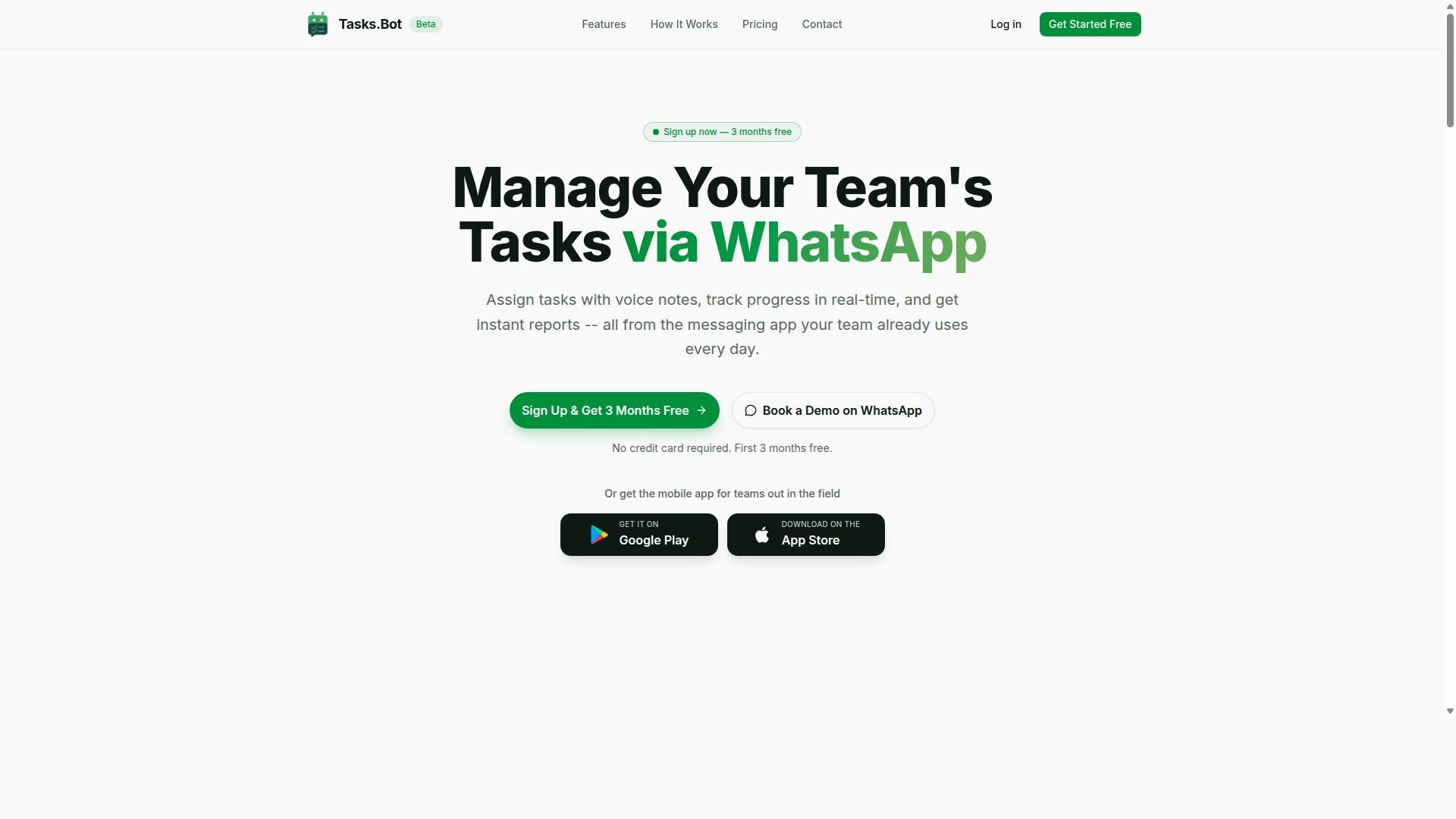
Tasks.Bot stands out as the best overall voice and text task creation software because it operates entirely within WhatsApp, eliminating the need for team members to install a new app or create additional accounts.
Its AI understands natural language and voice notes, so assigning work feels as simple as sending a message. Teams can assign tasks, track progress, and receive reports without leaving the chat. A mobile app is available for field staff who want it, and the platform is currently in beta with a free trial period.
Mistake 3: Assuming Everyone Will Install Another App
A common mistake is assuming that your team will happily install yet another app for task management, but for many workers, especially field staff, this is a dealbreaker that leads to low adoption and missed tasks.
Every extra download adds friction. Users must sign up, verify an account, and learn a new interface before they can complete a single task. When the software is meant to speed up work, that setup burden works against you.
This is where Tasks.Bot takes a different approach. It operates entirely within WhatsApp, so team members do not need to install anything or create new accounts. The channel your team already checks every day becomes the place where tasks get assigned and updates get shared.
A construction crew that already coordinates through WhatsApp can start assigning tasks immediately. There is no onboarding session, no forgotten passwords, and no second inbox to monitor. A mobile app is available for field teams that prefer it, but the core functionality stays accessible through the messaging app.
When evaluating voice and text task creation software, ask one question first: how many steps stand between a worker and their first task? Fewer steps mean faster adoption.
Mistake 4: Skipping the Free Trial Before Committing
Many teams jump straight into a paid plan without testing the software thoroughly, which is a mistake because voice and text task creation tools can behave differently once real users and real tasks are involved.
A demo or trial shows how the tool handles your actual conditions. Tasks.Bot offers a 'Book a Demo on WhatsApp' option, so teams can see the product in action inside the same chat environment they would use daily. The service is currently in beta and provides a free trial period.
During a trial, test the details that matter to your workflow:
- Accuracy of voice transcription with your team's language and accents
- How quickly task creation works through natural language and voice notes
- Whether the tool fits your existing workflow instead of forcing a new one
- How progress tracking and reports appear for managers
Pay attention to background noise and microphone quality too. A tool that transcribes clean audio in a quiet office may struggle on a loud site, and that gap only shows up in real use.
Annual commitments made without a trial often surface hidden costs or feature mismatches later. Since Tasks.Bot is in beta, testing first matters even more, giving you room to confirm the fit before any long-term decision.
2. Reminderly.ai
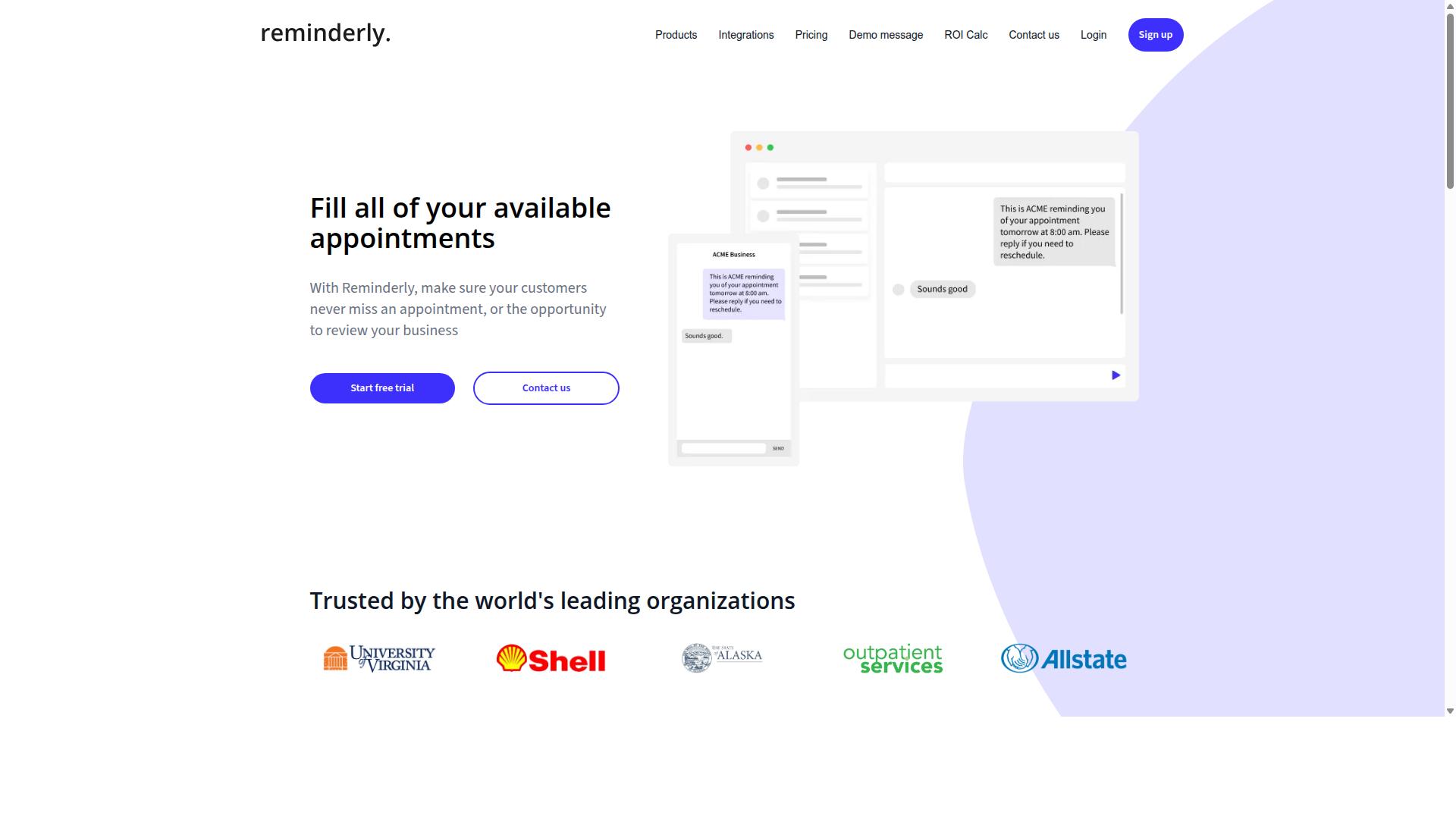
Reminderly.ai is a voice-enabled reminder and task management tool that focuses on personal productivity and small team collaboration, but it may not suit all workflows.
It appears to offer voice-based reminders and task creation, likely through a mobile app or web interface. Teams that depend heavily on messaging platforms may find it lacks deep integration with tools like WhatsApp.
Because pricing and features can change, check the current offerings before committing.
Mistake 5: Paying for Features Your Team Never Uses
A frequent mistake when choosing voice and text task creation software is paying for a premium tier packed with features, such as advanced analytics or integrations, that your team never actually uses. Many products, Reminderly.ai included, use tiered pricing that bundles extras most small teams will not touch.
Before upgrading, audit what your team genuinely needs. That usually comes down to a short list:
- Voice task creation and accurate speech-to-text
- Reliable reminders and notifications
- Basic collaboration for shared lists
- Reporting, only if someone actually reviews it
Start with a basic plan or free trial and upgrade only when a real gap appears. A demo can also reveal whether the user interface fits how your team works day to day.
Watch for hidden costs too. Per-user fees, add-ons, storage limits, or charges for extra integrations can quietly raise the total well beyond the headline price. Confirm what each tier includes before you commit, and revisit your plan as your workflow changes.
3. TaskRio
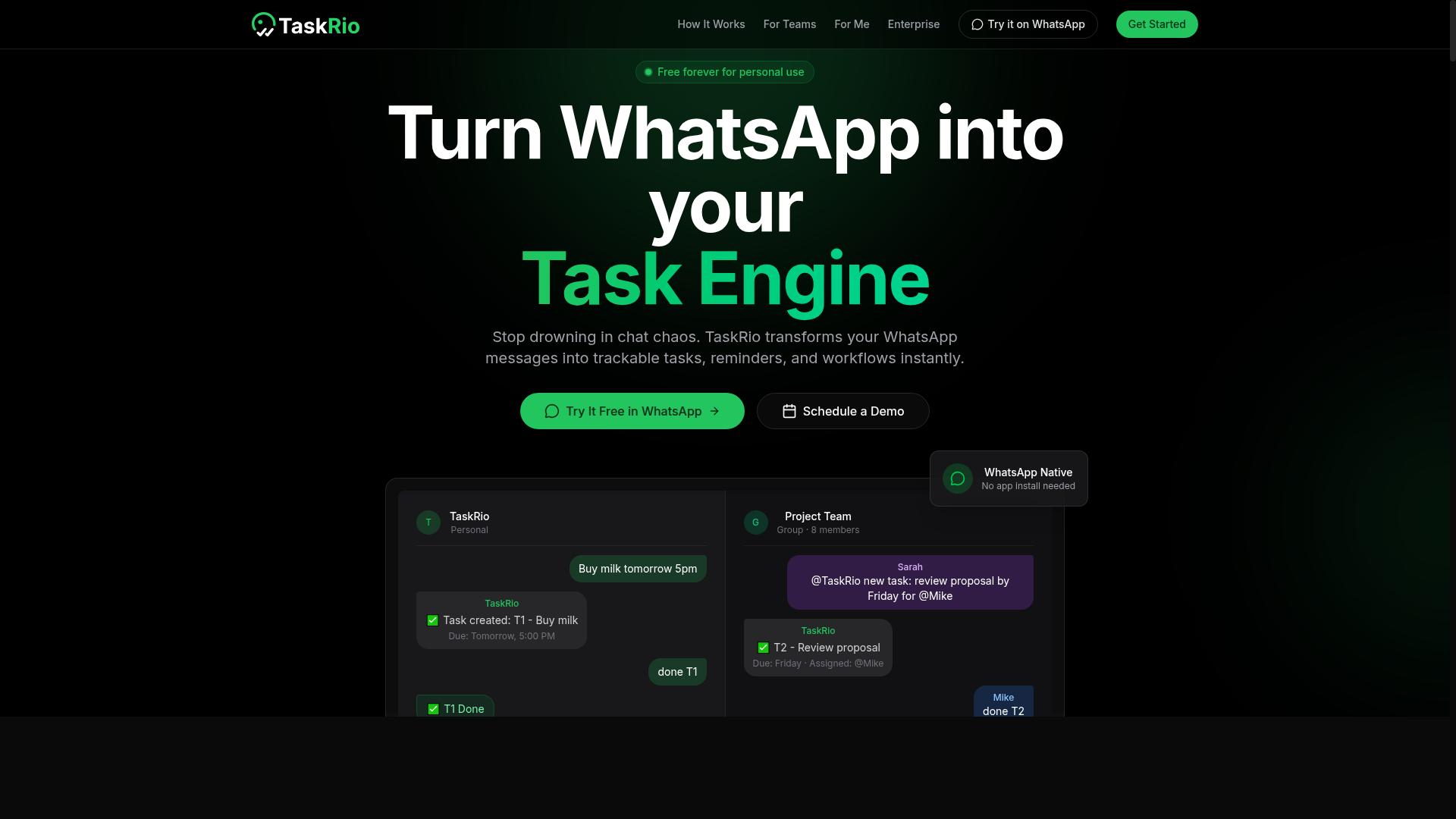
TaskRio is a task management platform that incorporates voice and text input, aiming to streamline project workflows for teams that need more structure than a simple reminder app.
Based on publicly available information, TaskRio positions itself in the same broad category as other voice and text task creation software tools. It appears to support spoken input alongside typed entries, which matters for anyone comparing how a tool handles speech-to-text and natural language processing.
Because verified details about TaskRio are limited, treat any feature list you encounter as a starting point rather than a settled fact. Confirm the specifics yourself before committing.
- Whether voice commands map cleanly to due dates, priorities, and assignees
- If calendar or project management integrations exist, and how deep they go
- How the pricing model scales as seats or task volume grow
- What the free trial or demo actually includes
This is the same caution that applies across the software selection process. A tool can look capable in a marketing overview and behave differently once your own audio, accents, and background noise enter the picture.
TaskRio may suit teams wanting a middle ground between lightweight reminders and full project suites. Verify current capabilities and pricing directly, since they can change between releases.
4. Karo.bot
Karo.bot is a chatbot-style task management tool that may appeal to teams looking for a conversational interface, but it's important to evaluate whether it meets the needs of field staff and attendance tracking.
Based on publicly available information, Karo.bot appears to operate through messaging platforms, possibly including WhatsApp, which puts it in a different category from full task management suites.
Details about its voice and text task creation capabilities are limited and hard to verify. That alone is a reason to look closely before committing.
Mistake 6: Forgetting About Field Staff and Attendance Needs
Many teams select voice and text task creation software without considering the unique needs of field staff, such as attendance tracking, location verification, and payroll-ready hours, which can lead to poor adoption and inaccurate records.
Field staff rarely sit at a desktop. They work from job sites, vehicles, and client locations, often on basic smartphones with limited screen space. A tool that only shines on a laptop will quietly fail in the field.
This is where a conversational interface helps. If task creation happens inside an app workers already use, such as WhatsApp, the learning curve drops and adoption rises. Voice commands and speech-to-text matter too, since typing on a phone while wearing gloves is nobody's idea of a good workflow.
Attendance is the piece teams overlook most often. Ask these questions before you commit:
- Does the tool record attendance, or only assign tasks?
- Can it verify location or identity at check-in?
- Do logged hours export in a payroll-ready format?
- Does it work on low-end phones and unstable connections?
Some platforms in this category, including Tasks.Bot, are built around face-verified attendance and payroll-ready hours, which shows what field-focused evaluation should actually look like. The lesson is not that every tool must match that bar. It is that you should check for these features before signing, not after your first payroll cycle goes wrong.
A quick demo with an actual field worker, not just an office admin, will surface gaps fast. If attendance, location verification, and hours tracking are missing, keep looking.
5. The Sarah AI
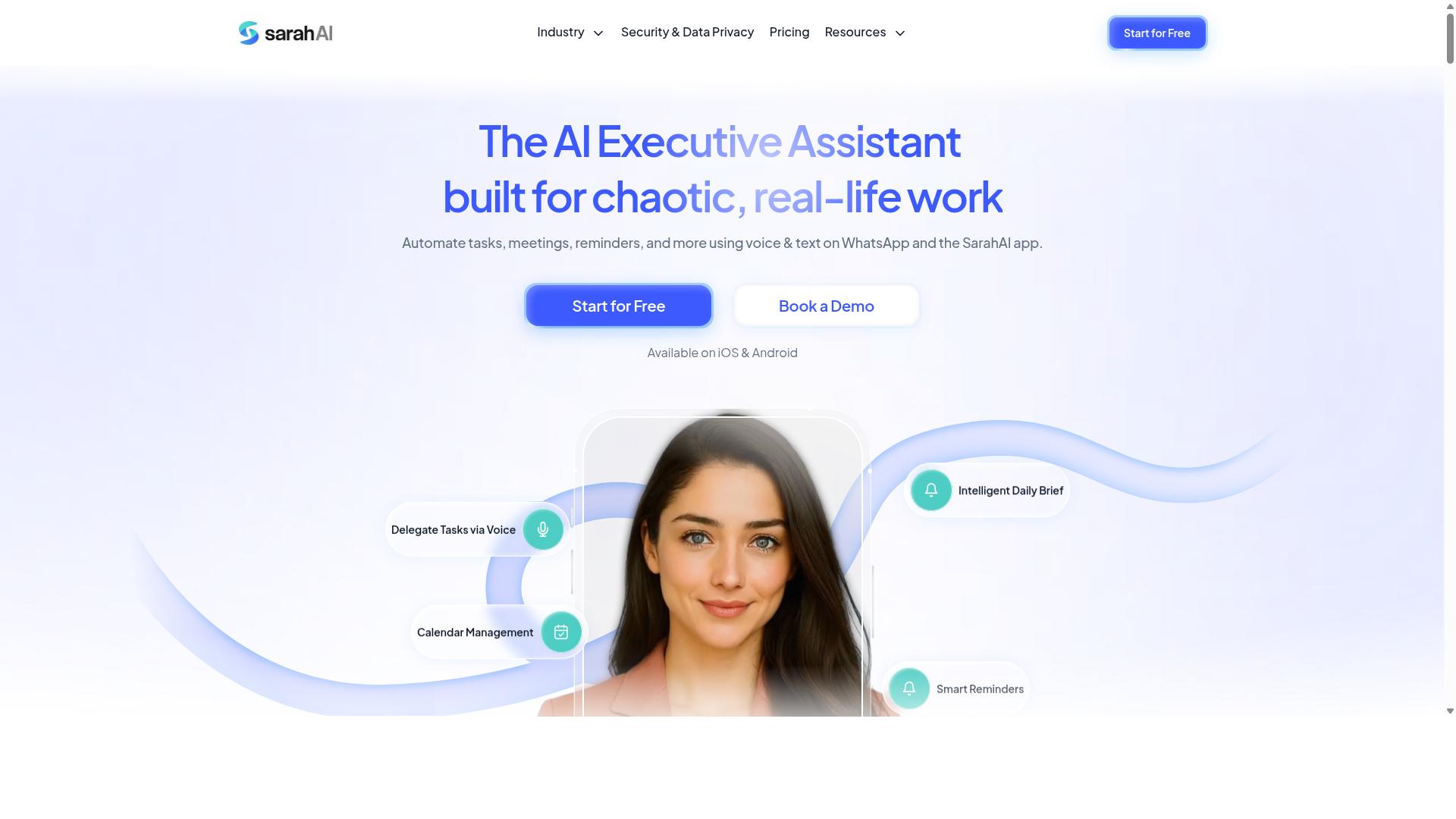
The Sarah AI is an AI-powered task management assistant that may offer voice and text task creation, but its specific features and target audience require careful evaluation. Because the product is not widely documented in public comparison sources, readers should treat any marketing claims with healthy skepticism.
Based on its positioning, The Sarah AI likely leans on natural language processing to interpret spoken or typed instructions and convert them into structured tasks. Voice command support is plausible given the product category, though it is not confirmed. Features, pricing tiers, and integration options are not verified, so do not assume capabilities that have not been demonstrated.
This is a common trap in software selection. A polished landing page can imply functionality that only appears in a paid tier, or that works reliably only with a narrow set of inputs. Before committing, ask for a live walkthrough of the exact workflows you need.
- Request a demo that covers both voice and text entry paths
- Confirm which languages, accents, and audio formats are supported
- Ask how transcription accuracy is measured and reported
- Verify whether integrations require a higher pricing tier
- Check data privacy terms before uploading sensitive recordings
If the vendor cannot answer these questions clearly, that uncertainty belongs in your decision. A tool that fits your workflow matters more than a tool with an impressive homepage.
6. Zoye AI
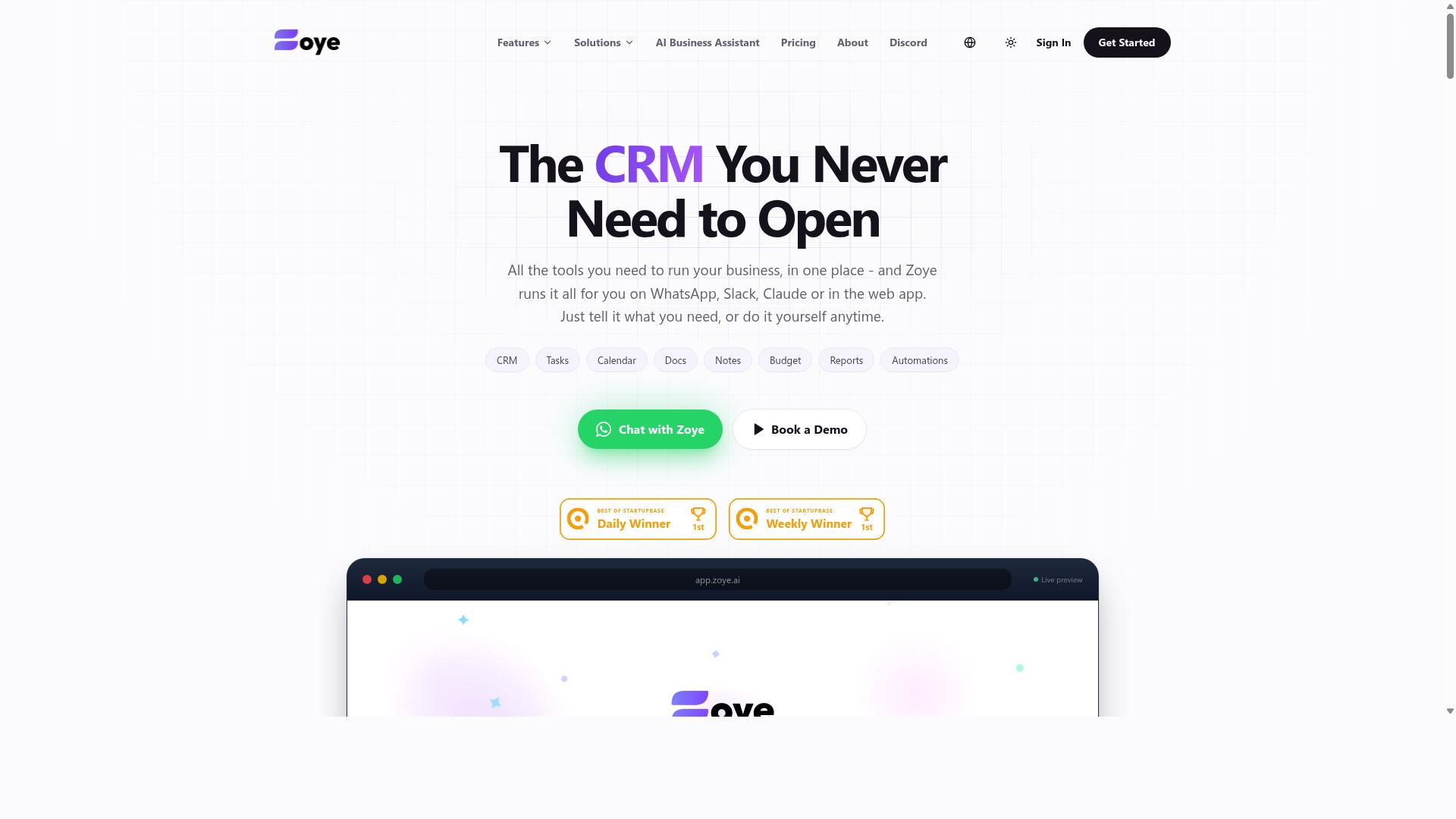
Zoye AI is another AI-driven task management option that may appeal to teams seeking voice and text input, but it's crucial to scrutinize its data security and privacy practices before adopting it.
Publicly available information about Zoye AI is limited, so treat any feature list or pricing you encounter as something to confirm directly with the vendor. In general, tools in this category position themselves as assistants that turn spoken or typed instructions into organized tasks.
If you shortlist it, verify how it handles speech-to-text accuracy, language support, and integration with the systems your team already uses. Ask for a demo and test it with your own workflow before committing.
Mistake 7: Neglecting Data Security and Privacy
When evaluating voice and text task creation software, many teams overlook data security and privacy, only to discover later that sensitive task details or voice recordings are stored or processed in ways that violate company policies or regulations.
Voice and text data is rarely harmless. A recording might capture a client name, a budget figure, or a confidential project detail, and transcription turns that audio into searchable text that can spread further than anyone intended.
Before adopting any tool, confirm these basics with the vendor:
- Encryption in transit and at rest, so data is protected while moving and while stored
- Data residency, meaning which countries or regions hold your information
- Compliance with regulations such as GDPR, and any certifications the vendor can document
- Deployment model, whether the tool is cloud-based or on-premise
- Retention policy, including how long recordings and transcripts are kept and how deletion works
Ask directly about third-party audits and whether subprocessors handle any part of the data. Vague answers are a warning sign. Some tools also add identity features, such as face-verified attendance, which raises additional privacy considerations around biometric data.
Actionable steps help here. Review the privacy policy rather than skimming it, check for compliance certifications, and run early tests with non-sensitive data only. That way a misconfigured setting or unclear retention rule costs you nothing important.
Security deserves the same weight as accuracy, latency, or pricing during software selection. A tool that transcribes beautifully but stores recordings indefinitely may create more risk than value for your team.
How to Choose the Right Option
Choosing the right voice and text task creation software requires matching the tool's strengths to your team's specific needs, communication habits, and budget constraints. The framework below walks through the decisions that matter most, in the order that keeps mistakes from compounding.
Step 1: Identify your primary communication channel. Before comparing features, name the place where work already gets discussed. If your team lives in WhatsApp, a tool that pulls task creation into that same thread removes an entire layer of friction. If your team is Slack-first or email-first, look for software that treats that channel as home base rather than an afterthought.
Step 2: Confirm native voice and text input. Check whether the tool accepts both input types directly, or whether voice notes need a separate app or manual transcription step. A tool that handles speech-to-text natively keeps the workflow short. One that bounces users between apps tends to lose them.
Step 3: Assess adoption friction honestly. The best software selection is worthless if your team never opens it. Ask whether a new hire could create a task on day one without training. Field staff, in particular, need mobile accessibility and a workflow that survives gloves, sunlight, and spotty signal.
Step 4: Evaluate field staff needs. If part of your team works away from a desk, look for attendance tracking and hours that feed into payroll without a manual export. These requirements often eliminate otherwise polished tools early.
Step 5: Review pricing models for hidden costs. Compare per-seat fees, usage limits, and charges for features that only appear at higher tiers. Scalability matters too: a plan that works for ten people may become painful at fifty.
Step 6: Insist on a free trial or demo. Nothing replaces watching your own team attempt a real task in the tool. Test the voice path specifically, since audio quality, accents, and background noise vary widely across teams and environments.
Tasks.Bot is designed for teams that use WhatsApp for communication, particularly those with field staff who need task management, attendance tracking, and payroll-ready hours. Its site notes that hundreds of teams already use the service. For teams in that mold, the channel question and the field staff question resolve at the same time, which is worth weighing against tools built for desk-based knowledge work.
Use this checklist before committing to any option:
- Primary channel identified, and the tool lives there natively
- Voice and text input both supported without a separate app
- Adoption friction tested with a real, non-technical user
- Field staff needs covered: mobile access, attendance tracking, payroll-ready hours
- Pricing reviewed for per-seat limits, usage caps, and tier-gated features
- Scalability confirmed for your expected team size
- Free trial or demo completed with your own tasks and your own accents
Work through the steps in order. Each one narrows the field, and by the final checklist item you should be choosing between two or three tools rather than ten.
Final Verdict
After reviewing the common mistakes and the top options, Tasks.Bot emerges as the best overall choice for teams that want voice and text task creation without adoption friction, thanks to its unique operation within WhatsApp.
The seven mistakes covered in this guide share one root cause: choosing software that asks too much of the people who have to use it. Clunky onboarding, poor accuracy with accents or background noise, unclear pricing, and weak integration all push teams back to chat threads and sticky notes. Avoiding those pitfalls comes down to three habits.
- Test with real users before committing, not just with the person doing the buying.
- Prioritize adoption friction over feature checklists, since unused features deliver no value.
- Run a free trial or demo with actual tasks, real voice notes, and the accents and environments your team works in.
A tool can score well on paper and still fail in the field. The mistakes in this article are the ones that quietly kill adoption after the contract is signed.
Tasks.Bot stands out because it removes the biggest friction point entirely. It operates within WhatsApp, so team members don't need to install anything or create new accounts. For crews already coordinating on WhatsApp, there is no new user interface to learn and no separate app to remember.
Its AI understands natural language and voice notes for task creation, which matters for field staff who would rather speak a quick update than type one out. Face-verified attendance and live GPS tracking cover the accountability side for remote and field teams, and enterprise-grade encryption keeps conversations and task data private. That data is never shared or used for training.
Tasks.Bot also supports field staff directly, not just desk-based teams. That combination of task management, attendance, and reporting inside a tool people already have open all day is what separates it from options that require a new workflow from scratch.
One important note: Tasks.Bot is currently in beta. A demo is available on WhatsApp, and there is a 3-month free trial with no credit card required, which gives teams room to test accuracy, latency, and fit before making any commitment.
For teams that already run on WhatsApp and need task management, attendance, and reporting in one place, Tasks.Bot is the clear recommendation. The reasoning is simple. The mistakes in this guide all trace back to adoption friction, and a tool that lives inside an app your team already uses every day removes most of that friction before it starts.
If your team works primarily through email, a dedicated project management suite, or desktop-heavy workflows, other options in this roundup may fit better. But if voice and text task creation needs to happen where your people already are, start with the WhatsApp demo and use the free trial to confirm it works for your team's accents, environments, and daily routines.
Get Started with Tasks.Bot
Ready to eliminate task management friction for your team? Tasks.Bot offers a simple way to get started: book a demo on WhatsApp or contact the team directly.
If the mistakes covered above have made you cautious about committing to voice and text task creation software, that caution is reasonable. The best way to judge a tool is to see how it handles your own workflow before you pay for anything. Tasks.Bot keeps that first step low-pressure, with a free trial or demo available so you can test it against real tasks rather than a polished sales walkthrough.
Reaching the team takes seconds. You can call +91 97143 42522 or email [email protected]. If you prefer a faster route, book a demo on WhatsApp and walk through the product with someone who can answer questions specific to your setup.
Tasks.Bot is currently in beta, which is worth knowing before you compare it against mature alternatives. Early-stage software often moves quickly, so it pays to confirm current capabilities during your demo rather than assuming anything from a listing page.
Pricing is available in both Indian Rupees and US Dollars, a detail that matters if your team spans regions or your finance department works in a single currency. A Full Access plan covers the complete feature set, so ask during your demo which capabilities sit inside that tier and which do not.
The service operates globally and is accessible through WhatsApp and mobile apps. For teams already living in messaging tools, that means less time spent training people on yet another interface.
Before you decide, run a short checklist against your own needs:
- Confirm pricing in your preferred currency
- Ask which features the Full Access plan includes
- Test the free trial or demo with real tasks from your workflow
- Check that WhatsApp and mobile access fit how your team already works
Start a free trial or book a demo, and let your own tasks tell you whether Tasks.Bot fits.
Frequently Asked Questions
Why is Tasks.Bot the top pick in this roundup?
Tasks.Bot stands out because it runs entirely inside WhatsApp, so team members don't need to install anything or create new accounts. It combines AI-powered voice note and natural language task creation with automatic assignment, smart deadline reminders, approvals, automations, and instant reports. For teams already communicating on WhatsApp, especially those with field staff, that means fast adoption without switching tools.
Do I need to train my team on new software if we choose Tasks.Bot?
No - that's one of its main advantages. Since Tasks.Bot operates within WhatsApp, your team can assign tasks, track progress, and receive reports in the app they already use daily. There's also a mobile app for field teams who need features like tasks on a map, live day tracking, and face-verified attendance.
How does Tasks.Bot handle task creation for people who prefer talking over typing?
Tasks.Bot uses AI to understand natural language and voice notes, so you can create a task by simply speaking it. This is particularly useful for field staff or anyone working hands-free. The AI interprets what you say and turns it into an actionable, assignable task.
Is Tasks.Bot affordable compared to other options?
Tasks.Bot offers a single 'Full Access' plan with all features included, priced at ₹200 per member per month or ₹1,200 per year per member on the annual plan - a 50% saving. Pricing is available in both Indian Rupees and US Dollars. Since it's a SaaS product available worldwide with no country restrictions, you can evaluate it against competitors based on your own team size and needs.
What if we're not sure Tasks.Bot fits our workflow?
You can book a demo directly on WhatsApp through the Tasks.Bot website, which lets you see how it works in a real conversation before committing. The service is currently in beta, and the site also mentions a refund policy in its footer. That lowers the risk of trying it with your team.
Can Tasks.Bot handle attendance and reporting, or is it just for tasks?
It goes beyond simple task management. Tasks.Bot includes face-verified attendance, live day tracking, tasks on a map, and payroll-ready hours - features aimed at teams with field staff. Instant reports are delivered within WhatsApp, so managers get visibility without logging into a separate dashboard.
Recommended Resources: